[§] /docs/cases/br95
BR95: Windows 95 in the browser
How brunojaamaa.dev became a believable Windows 95 desktop with real bevels, pixel fonts, a window manager, stepped motion and dithered art, while every window stays a crawlable page.
TL;DR
- The Win95 look is copied from measured numbers: a 4-value bevel system, 18px title bars, a 28px taskbar and pixel fonts at exact sizes.
- The desktop is a shell that mounts once. Every window that has content is a real, server-rendered URL, so the gimmick costs nothing in search.
- Motion is stepped, not smooth, and every picture is 1-bit and Bayer-dithered. The site's Win95 opening comes from it: see win95-boot and the how-to Win95 chrome and verify.
What it is
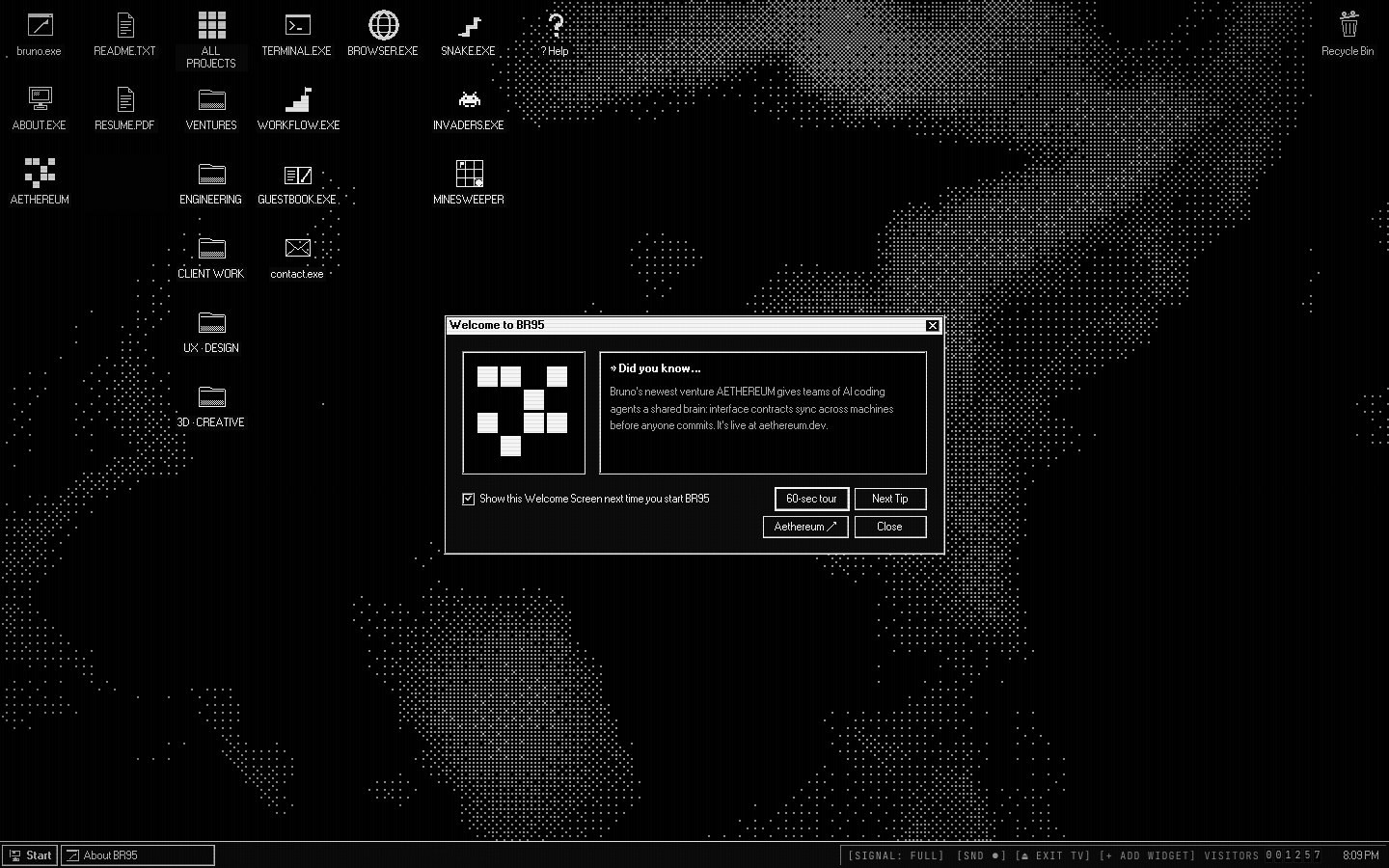
BR95 is Bruno Jaamaa's portfolio at brunojaamaa.dev. It boots like an old PC, then drops you onto a Windows-95-style desktop with draggable windows, a taskbar, a Start menu, a terminal, games and a resident desktop cat called BUBBA.
The brief, in its own case study: every portfolio looks the same, and the usual fix is a heavy visual gimmick that destroys crawlability and accessibility, which are the two things a portfolio exists for. BR95 makes the gimmick the shell and keeps the content as plain server HTML.
It was built solo, in sprints D1 to D6, with Claude Code doing most of the implementation and every diff reviewed by hand.
How it's built
Stack: Next.js 16, React 19, TypeScript, zustand 5, Tailwind 4, three.js with React Three Fiber, canvas, WebAudio, sharp and Playwright.
The window manager reads the route. DesktopShell mounts once in the root layout and holds the
wallpaper, icons, taskbar and Start menu. A registry maps each pathname to window metadata, and the
App Router renders that route's server content inside the matching window. Opening a project window
is navigating to its URL. Closing it is navigating back to the parent.
  visitor opens /projects/br95
            |
            v
  +- root layout ----------------------------------------+
  |  DesktopShell (client, mounts once)                  |
  |   wallpaper, icons, taskbar, Start menu              |
  |   zustand window store  <-- getState() for drag      |
  |   |                                                  |
  |   +- routed window <-- App Router children           |
  |   |     the case study, rendered on the server       |
  |   |                                                  |
  |   +- app windows: terminal, games, dialogs           |
  |         client only, no URL                          |
  +------------------------------------------------------+
            |
  close --> navigate to parent route      boot (only on /):
                                          canvas BIOS POST --> 3D CRT
                                          --> live desktop DOM
The look comes from a spec, not memory. A research file fixes the numbers, with a confidence note for each one:
| Part | Value |
|---|---|
| Title bar | 18px |
Caption buttons [_][□][X] | 16 × 14px |
| Taskbar | 28px (2px raised bevel + 26px body) |
| Push button | 75 × 23px |
| UI font | pixel MS Sans Serif recreation at exactly 11px |
| Boot font | IBM VGA 8x16 at 16px |
Bevels are four inset box-shadow values, taken from 98.css: raised, sunken, window frame and
deep field. A pressed button swaps raised for sunken and nudges its label 1px right and down. The
spec calls that inversion 90% of what makes it feel like 95.
Motion is stepped. Windows drag as a dotted outline, and the content jumps to the new place on drop, because full-window drag only arrived with Microsoft Plus!. Minimise and restore draw a dotted wireframe that moves between the window and its taskbar button in about 5 discrete steps over about 200ms, never a smooth tween.
Art is 1-bit and generated. About 30 icon glyphs are drawn on an integer pixel grid and saved as SVGs made only of rectangles. Window thumbnails go through an ordered Bayer 4×4 dither, chosen over Floyd-Steinberg so they match the wallpaper's dither pattern. The UI sounds are WebAudio synths, not samples.
Design decisions
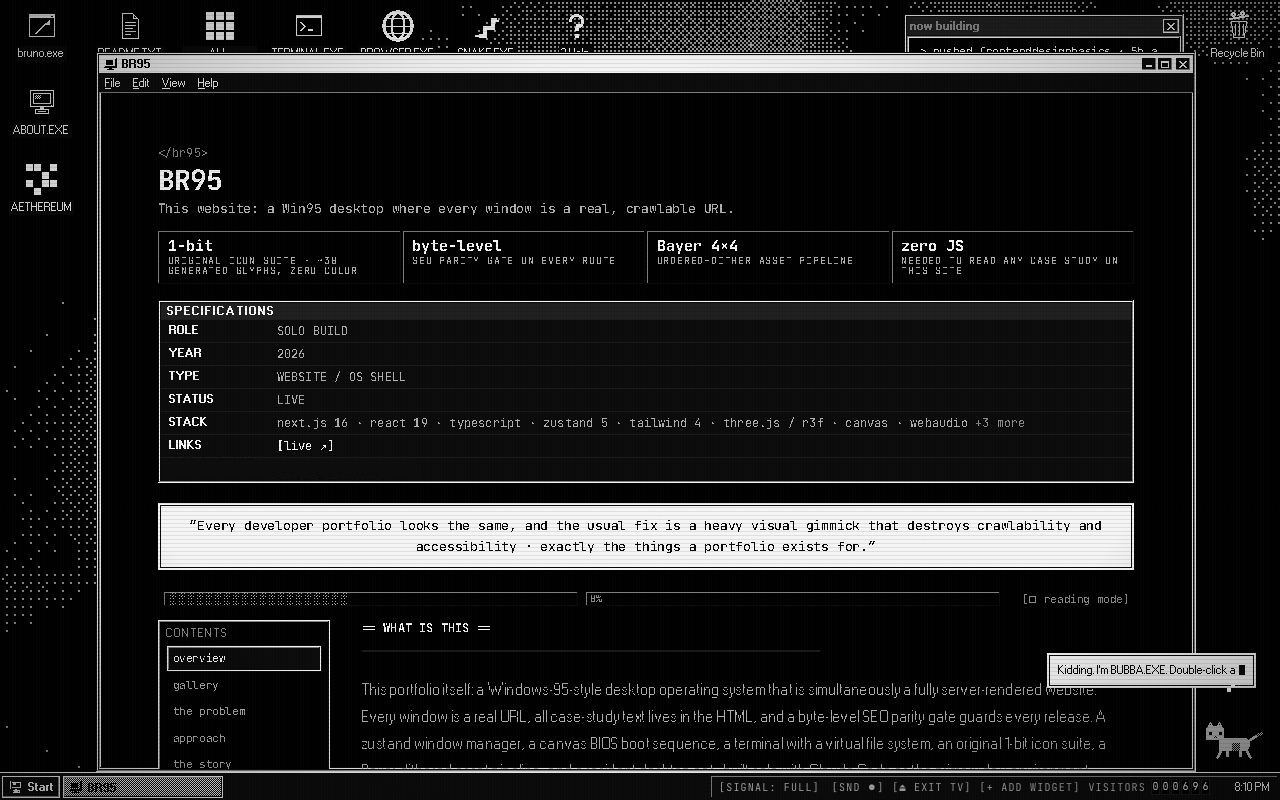
- The window is only a frame. In the shot above, the case study sits inside window chrome, but
it is a real page at
/projects/br95. The CONTENTS rail on the left is plain anchor links to real<h2>ids, so it works with JavaScript off. - No colour in the shell. Everything you see is black, white and greys. The case study calls it the 1-bit law, and says it made "a thousand small decisions automatic".
- Grey, not teal. The classic Win95 desktop is teal with a navy title bar. BR95 anchors its palette to Windows' High Contrast Black scheme instead: black surfaces, white text and bevels flipped in brightness.
- Dither as texture. The wallpaper is a dotted, Bayer-dithered map, and the focused taskbar button gets a dithered face. The dots give depth without adding a single colour.
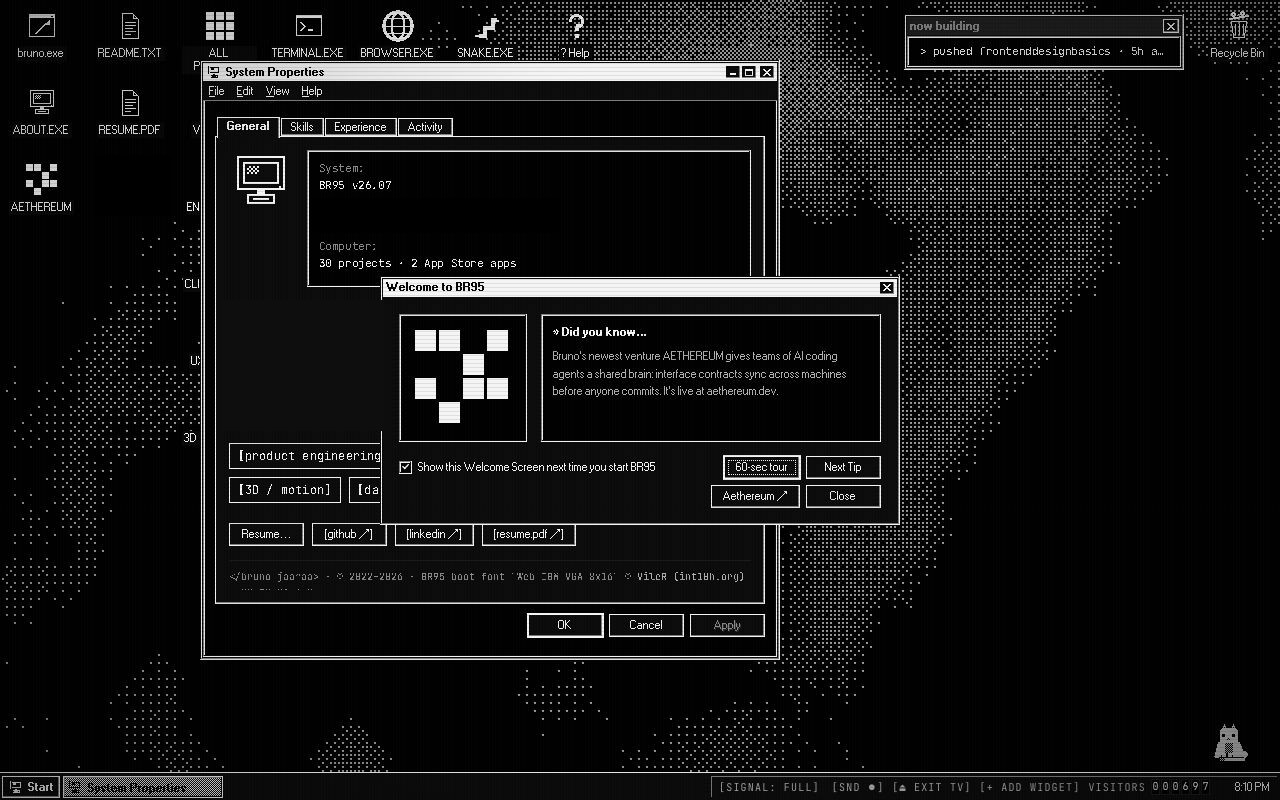
- Real Win95 conventions. The System Properties dialog below has tabs, and its buttons sit bottom right in the Windows order: OK, Cancel, Apply.
- Hard accessibility laws. Nothing flashes more than three times a second, reduced motion gets a static version of everything, and body text is always real DOM.
Steal this
- Write the spec before the CSS. Measure the real thing (title bar height, bevel order, button size) and write each number down with where it came from. See it running in win95-desktop and win95-boot.
- Use stepped motion for retro UI.
steps()easing, or a steppedrequestAnimationFrame, sells the era better than any filter. A smooth tween instantly looks modern. See Pick an ease. - Dither instead of adding colour. An ordered Bayer matrix gives tone and depth to a 1-bit palette. Try it in dither-wave and follow ASCII and dither.
Sources
- BR95 case study, Bruno Jaamaa, on brunojaamaa.dev
- brunojaamaa.dev, the live site
- The BR95 repo's
README.mdanddocs/win95-spec.md(the fidelity spec) - 98.css, the source of the bevel values
Case studies
Great sites taken apart, from their makers' own write-ups. What they decided, how they built it, and what to take.
Balatro deck: cloning a look from its real assets
A slide deck built to look, move and sound exactly like the card game Balatro, by reading the real palette, shaders and timings from the game's own files instead of eyeballing screenshots.