[§] /docs/cases/igloo-inc
Igloo Inc.: a company site carved out of ice
How abeto built the Awwwards Site of the Year with procedural ice, compressed volume data and a WebGL interface, all in three.js.
TL;DR
- A scroll journey through a frozen world: an igloo, ice-encased portfolio pieces and a particle footer that reshapes itself.
- The studio, abeto, built its own tools: a procedural ice growth algorithm, a VDB exporter and background shader compilation.
- Even the interface text lives in WebGL, so glitches and letter scrambles are cheap shader tricks.
What it is
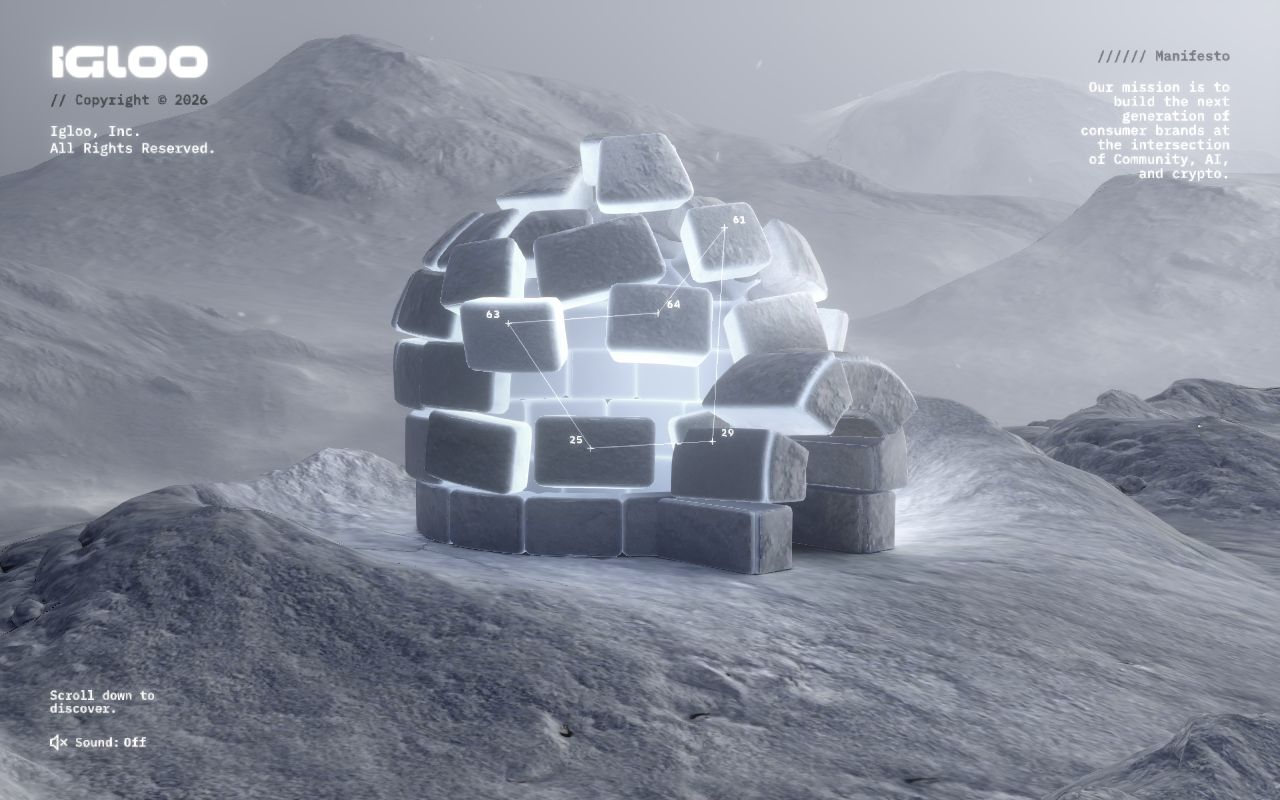
Igloo Inc. is a company site. Its own manifesto says it builds consumer brands at the intersection of community, AI and crypto. The site was made by abeto, a team of technical artists, with the creative team at Bureaux, who also provided the audio. It won Awwwards Site of the Year and Developer Site of the Year, which abeto announced on X.
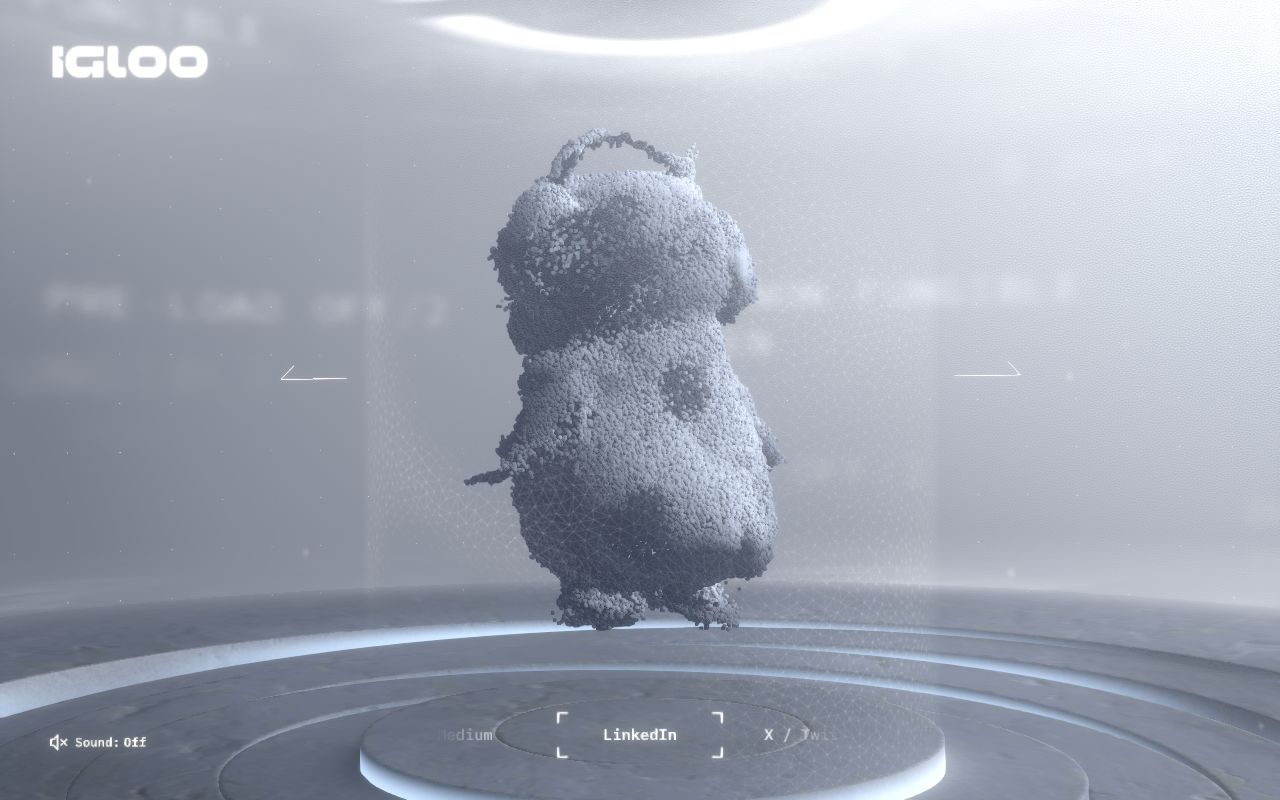
You open on an igloo in a snowstorm and scroll down into it. Portfolio companies appear as frozen objects you can click to explore, and the journey ends on a platform of particles.
How it's built
From the case study's tools list:
- 3D and textures: Houdini and Blender.
- UI design: Figma, Photoshop and Affinity Photo.
- Code: three.js, three-mesh-bvh, Svelte, GSAP, Vite and vanilla JavaScript.
- Audio: DaVinci Resolve.
The studio says it prefers custom solutions for each project, and several parts of this site are their own tools rather than off-the-shelf ones.
   AUTHORING                         EXPORT                       BROWSER (three.js)
 ┌──────────────┐   ice growth    ┌──────────────┐           ┌──────────────────────┐
 │ Houdini      │── algorithm ───▶│ ice meshes   │──────────▶│ scroll scene (GSAP)  │
 │ Blender      │                 │ per project  │           │  igloo → ice blocks  │
 └──────────────┘                 └──────────────┘           │  → particle footer   │
 ┌──────────────┐  custom VDB     ┌──────────────┐           │                      │
 │ VDB volumes  │── exporter ────▶│ compressed,  │──────────▶│ volume effects       │
 └──────────────┘                 │ smaller than │           │                      │
                                  │ a web image  │           │ WebGL UI text (SDF)  │
                                  └──────────────┘           │  glitch · scramble   │
                                                             └──────────▲───────────┘
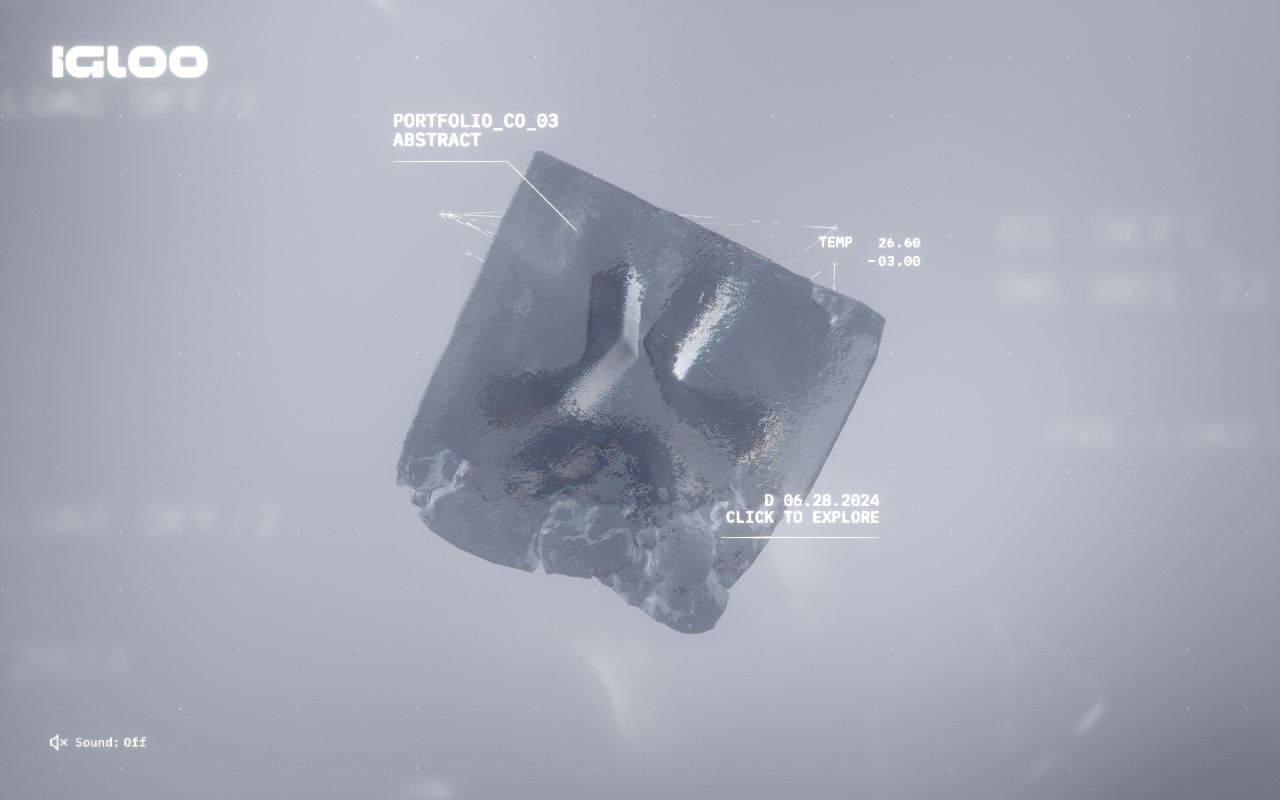
shaders compiled in the background ──┘- Procedural ice. Each portfolio piece gets its own ice block. Rather than model each one by hand, the team wrote an algorithm that mimics ice crystals growing inside a container. They pick a base shape, such as a cube or cylinder, and the algorithm grows the detail.
- Volume data made small. Instead of shipping volumes as stacks of image slices, they wrote an exporter that converts VDB data into a compressed, browser-friendly format. They say the files end up smaller than a typical website image.
- Interactive particles. In the footer, a particle simulation shifts into a new shape for each external link you select. Particles change colour with speed and glow while they transform, in time with Bureaux's audio.
- WebGL interface text. The UI is drawn in WebGL. Glitches are a simple shader, and text scrambles change letters by offsetting an SDF texture, so nothing has to be recalculated in the DOM.
- Loading strategy. Textures load and shaders compile in stages, both at first load and in the background, to keep the first visit fast.
Design decisions
- One material, one mood. Everything is ice, snow and fog in cool greys. The screenshots show almost no colour at all, which makes the glowing light inside the igloo the focal point.
- Interface as instrument readout. Labels like
PORTFOLIO_CO_03,TEMP 26.60and thin leader lines make the UI feel like a scientific scan. Monospace type throughout keeps it consistent. - Content as objects. Portfolio companies are not cards in a grid. Each is its own frozen object with a unique ice shape, which is why the procedural algorithm was worth building.
- Sound is opt-in. A small "Sound: Off" toggle sits bottom left on every screen. The audio is designed, but it never starts on its own.
- A clear first instruction. The opening screen says "Scroll down to discover" and nothing else.
Steal this
- Start low-fi, resolve to detail. Igloo's ice grows detail from a simple base shape. The same idea drives pixel-to-hd-cube: begin chunky, end crisp. Steps are in Pixel to HD.
- Put hard-to-animate text in the canvas. When text has to glitch or scramble every frame, a shader beats DOM updates. Post-processing stack shows a glitch pass. Keep real text in the DOM for accessibility.
- Budget the first load like a feature. Compile shaders and load heavy assets in the background. The home journey here follows the same rule; see Structure and performance.
Sources
- Igloo Inc: Case Study, abeto, Awwwards, 31 October 2024
- abeto on X: "We won Site of the Year and Developer Site of the Year"
- Igloo Inc on Awwwards
- igloo.inc
Vercel Ship badge: a lanyard you can grab
How Vercel turned a conference ticket into a 3D badge on a physics rope, in about 80 lines of React Three Fiber.
Bruno Simon: a portfolio you drive
Two open-source three.js portfolios where you steer a small vehicle around a world, from the 2019 cannon.js original to the 2025 WebGPU rebuild.