[§] /docs/cases/bruno-simon-folio
Bruno Simon: a portfolio you drive
Two open-source three.js portfolios where you steer a small vehicle around a world, from the 2019 cannon.js original to the 2025 WebGPU rebuild.
TL;DR
- The portfolio is a place, not a page: you drive a little off-road car around a world full of projects, props and secrets.
- Both versions are public on GitHub under the MIT licence, so you can read every system.
- 2019: three.js, cannon.js physics, matcap materials. 2025: three.js WebGPU with TSL, Rapier physics, a staged game loop and a GPU texture compression pipeline.
What it is
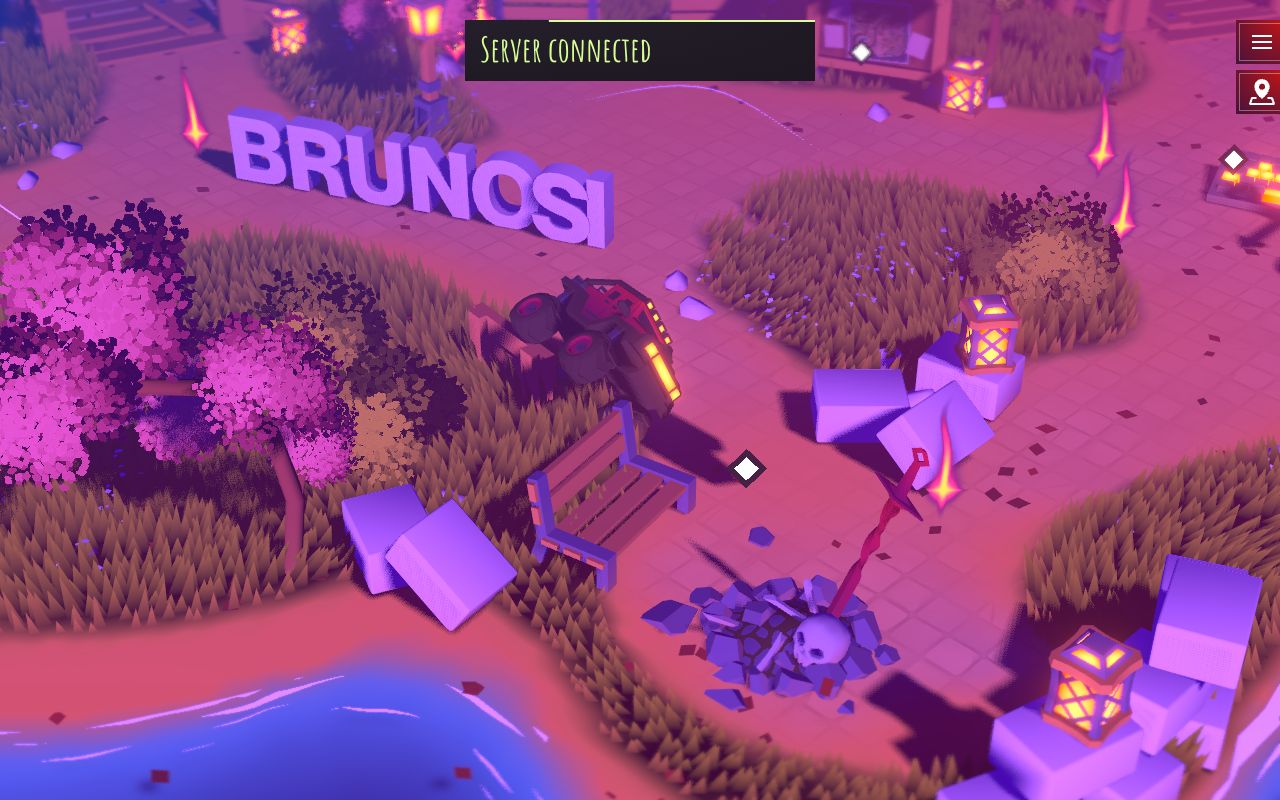
Bruno Simon is a creative developer, and his site at bruno-simon.com is a small open world. You click to start, then drive a car with the keyboard, a gamepad or touch controls. The world holds his work, scattered objects you can knock over, and hidden extras.
The 2019 version set up the idea. The 2025 version rebuilds it on newer technology and adds weather, day and year cycles, wind, grass and water. Both repositories are public.
How it's built
Folio 2019
The package.json lists three.js, cannon (cannon.js physics), GSAP, Howler for sound
and dat.gui for debugging, built with Vite and a GLSL plugin. The source splits the world
into a Car, Physics, Areas and Sections, and uses custom matcap materials and dedicated
shadow materials (Matcap.js, FloorShadow.js, Shadow.js). The
physics world steps every tick with the frame's delta time.
Folio 2025
The 2025 package.json moves to three.js 0.183 with the WebGPU renderer, @dimforge/rapier3d
for physics, glTF Transform for asset processing, Tweakpane for debugging and stats-gl for
monitoring. The renderer imports from three/webgpu and three/tsl, with a TSL bloom node and a
custom "cheap DOF" pass.
The README documents the game loop as numbered stages. Each system runs after the systems it depends on:
 0    Time, Inputs
 1    Player: pre-physics
 2    PhysicalVehicle: pre-physics
 3    Physics  (Rapier)
 4    PhysicsWireframe, Objects
 5-6  vehicle and player: post-physics
 7    View (camera)
 8    Intro, DayCycles, YearCycles, Weather, Zones, VisualVehicle
 9    Wind, Lighting, Tornado, InteractivePoints, Tracks
 10   Terrain, Grass, Foliage, Fog, Snow, RainLines, WaterSurface, props...
 13   InstancedGroup
 14   Audio, Notifications, Title
 998  Rendering
 999  Monitoring

 input ──▶ physics ──▶ camera ──▶ world reacts ──▶ draw ──▶ measure
Assets go through a compression step. Models are exported from Blender without compression,
then npm run compress re-encodes embedded GLB textures and model textures to ETC1S (a lossy,
GPU-friendly format) and converts UI images to WebP, keeping the originals. The palette texture
is muted in Blender and set on the three.js material directly.
Design decisions
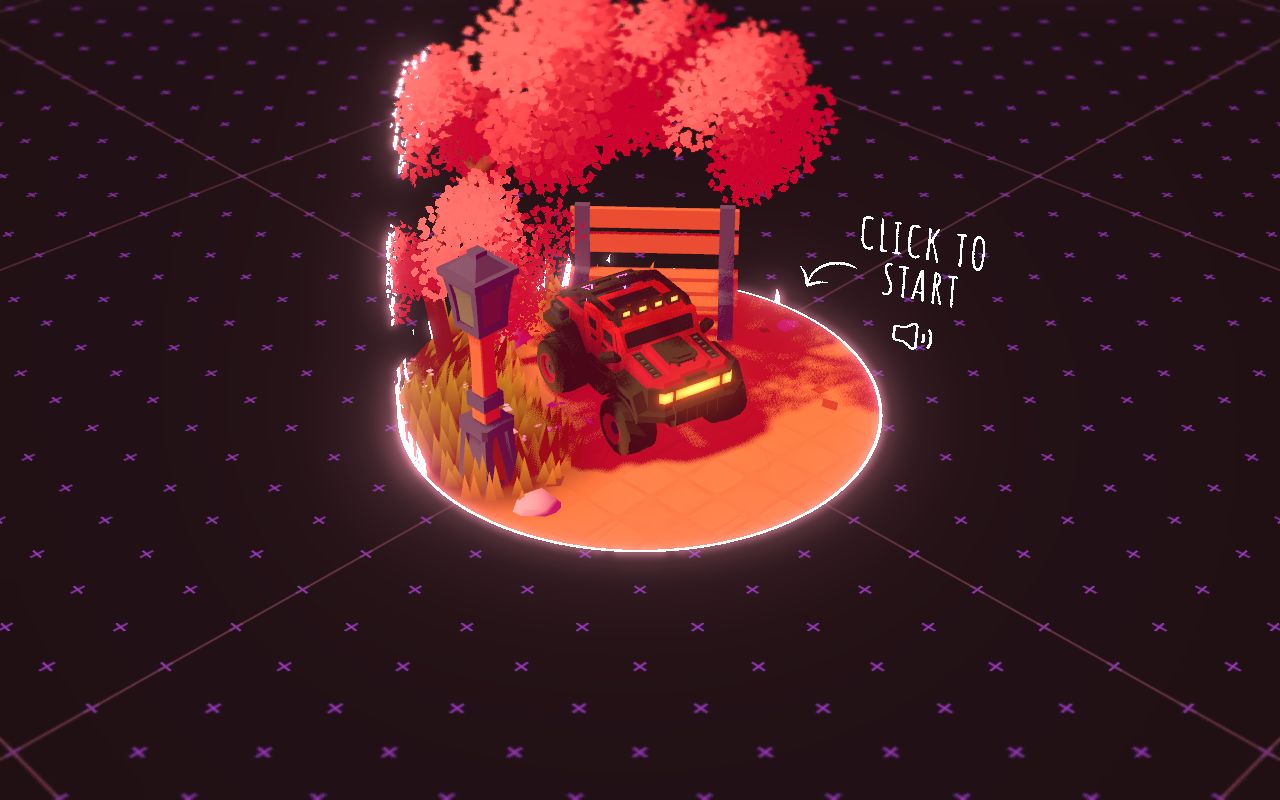
- A start screen that is already the world. Before you click, you see the car parked on a lit disc with a tree, lamp and bench, and a hand-drawn "Click to start" note. It sets the tone and asks for the click that browsers need before sound can play.
- Low-poly and saturated. Chunky trees, blocky crates and a strong pink and purple palette keep the scene readable from a high camera, and cheap to render.
- Type as a physical object. His name stands in the world as big 3D letters you can drive into, so branding and play are the same thing.
- Everything reacts. Benches, bricks, explosive crates, fences and lanterns all have their own systems in the game loop, running after physics. Knocking things over is the reward for exploring.
- Clear wayfinding in a free world. White diamond markers float over interactive points, and a map button sits in the corner, so an open world still tells you where to go.
Steal this
- Order your frame like a game. Inputs, then physics, then camera, then everything that reacts, then render. Writing that list down, as the README does, prevents a whole class of jitter bugs. See Pick a 3D tool.
- Make the city a place to move through. A small world with a few landmarks beats a long page of cards. neon-block-city is our take on a block world, built as in Instanced blocks.
- Let the letters be objects. Physical 3D type is memorable. Try assembling a word from blocks in voxel-type-assembly.
Sources
- brunosimon/folio-2019 on GitHub (MIT)
- brunosimon/folio-2025 on GitHub, including the game loop and compression notes in the README (MIT)
- bruno-simon.com
Igloo Inc.: a company site carved out of ice
How abeto built the Awwwards Site of the Year with procedural ice, compressed volume data and a WebGL interface, all in three.js.
Sonner: how a toast earns its polish
Emil Kowalski's own breakdown of the details behind Sonner, the React toast library, from stacking maths to swipe velocity and interruptible motion.