[§] /docs/cases/vercel-3d-badge
Vercel Ship badge: a lanyard you can grab
How Vercel turned a conference ticket into a 3D badge on a physics rope, in about 80 lines of React Three Fiber.
TL;DR
- A ticket became a toy: a 3D badge hangs on a lanyard and swings when you drag it.
- The rope is three physics joints, smoothed into a curve and drawn as a thick line.
- Same stack as this guide: React Three Fiber, drei and a physics engine. The author says it is about 80 lines.
What it is
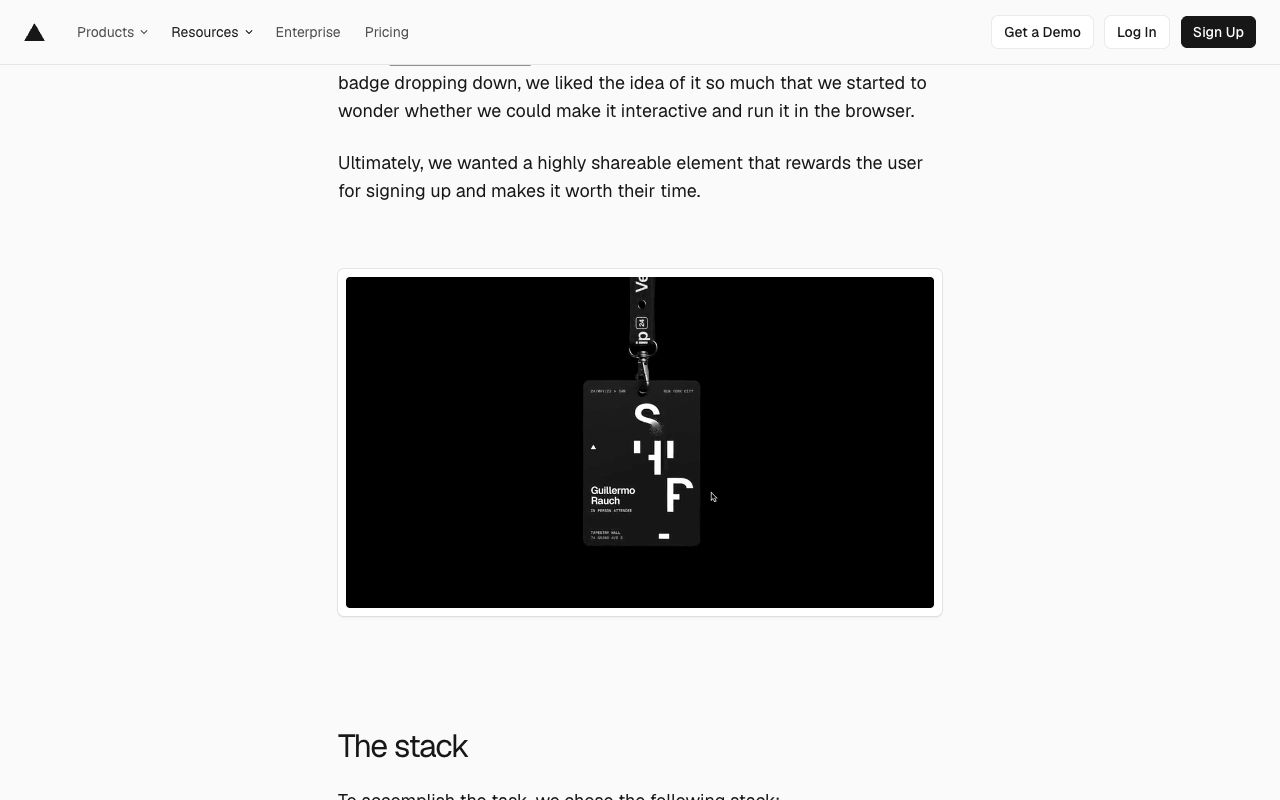
For the Vercel Ship 2024 conference site, Vercel made the attendee ticket a physical-feeling object. A badge drops in on a lanyard, and you can pick it up and fling it around. The idea came from a Blender video by Studio Basement of a badge dropping down. The team wanted to know if they could make it interactive and run it in the browser.
The goal, in their words, was a highly shareable element that rewards the user for signing up. Paul Henschel, a design engineer at Vercel, wrote up how it works on 17 April 2024.
How it's built
The stack is short:
- Blender to prepare and optimise the badge model.
- React Three Fiber as the renderer, with drei for helpers.
- react-three-rapier, a declarative wrapper around the Rapier physics engine.
- MeshLine, a shader-based thick line, for the strap.
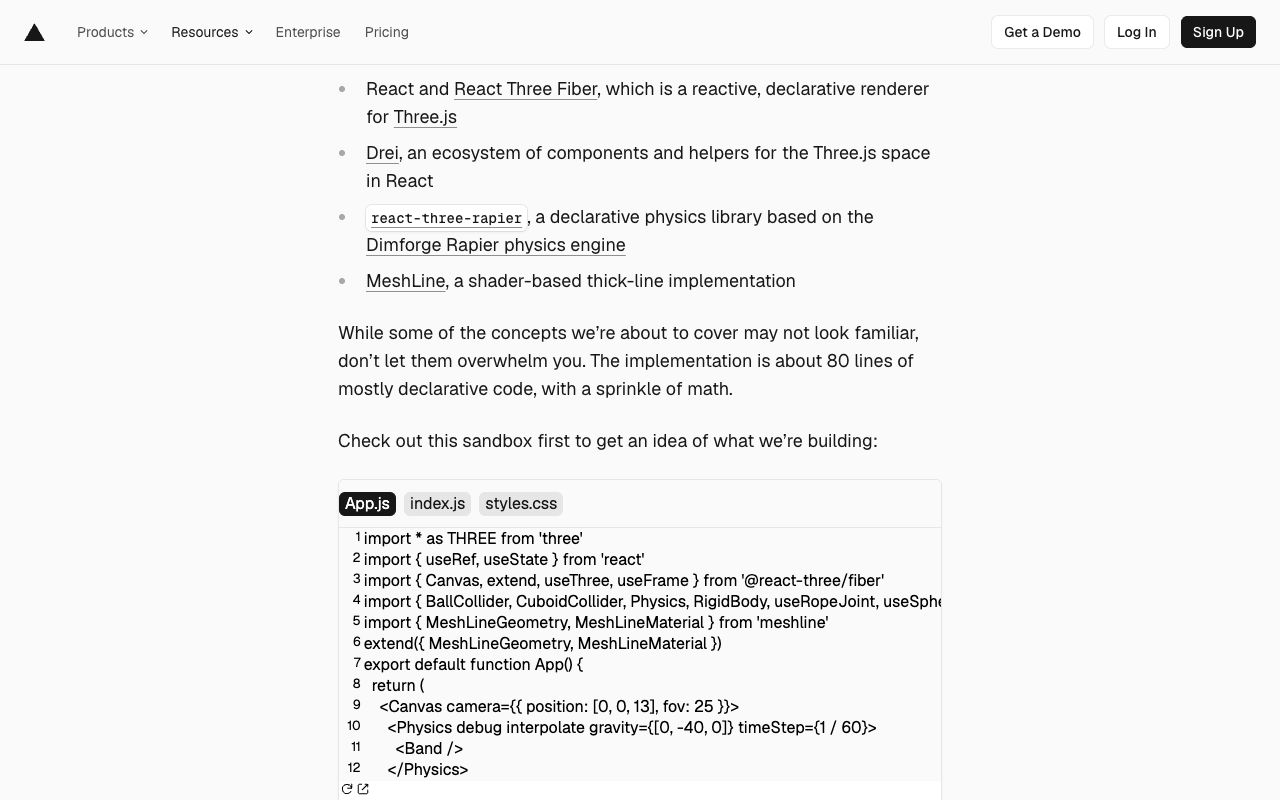
The whole scene sits inside one <Physics> provider. The sandbox in the post uses
gravity={[0, -40, 0]} and timeStep={1 / 60}, with the camera at [0, 0, 13] and a 25 degree field
of view.
  fixed anchor (top of screen)
       │  useRopeJoint
       ● j1
       │  useRopeJoint
       ● j2
       │  useRopeJoint
       ● j3
       │  useSphericalJoint (offset [0, 1.45, 0])
  ┌────┴────┐
  │  CARD   │  rigid body: dynamic, or kinematic while dragged
  │ texture │  name drawn with drei RenderTexture
  └─────────┘

  every frame:
  j1..j3 positions ──▶ CatmullRomCurve3 ──▶ 32 points ──▶ MeshLine strap
  pointer ──▶ unproject(camera) ──▶ set card position while dragging
Three things carry the effect:
- A chain, not a rope simulation. Three joints link a fixed point to the card with rope joints. The card hangs off the last joint with a spherical joint, so it can twist freely.
- A smooth strap from few points. Three joints would look like a zigzag. A Catmull-Rom curve runs through them and is sampled at 32 points, then drawn with MeshLine. It updates at the monitor's refresh rate, 60 or 120 frames per second.
- Switching body type on drag. The card is kinematic while you hold it, so it follows the
pointer exactly, and dynamic when you let go, so physics takes over. The pointer position is
turned into 3D space with
unproject(state.camera).
The name on each badge is rendered into a texture with drei's RenderTexture, using Text3D with
the Geist font.
Design decisions
- Make the ticket worth sharing. A ticket is usually a PDF. Here it is something you play with, and it carries your name, which is what makes people post it.
- Monochrome on black. The badge in the post is a black card with white type and a large SHIP mark. The 3D does the talking, so the graphics stay quiet.
- Borrow from video, then make it live. The motion started as a rendered Blender clip. The web version keeps the drop and the swing, and adds the one thing video can't do: you can touch it.
- Declarative over clever. The post stresses that the code is mostly declarative with "a sprinkle of math". Physics bodies and joints are React components and hooks, not a hand-written solver.
Steal this
- Fake a rope with a few joints and a curve. Physics on three points is cheap. The curve makes it look continuous. Pick a 3D tool covers the R3F scene setup.
- Swap kinematic and dynamic on grab. It is the simplest way to make a physics object feel held rather than pushed. Try the idea on a small object first, like the blocks in tool-blocks.
- Render text into a texture for personalised 3D. One model, a different name per visitor. Pair it with a glassy material like glass-lens for a premium card; the glass recipe is in Make colour look expensive.
Sources
- Building an interactive 3D event badge with React Three Fiber, Paul Henschel, Vercel blog, 17 April 2024
- Vercel Ship 2024
- react-three-rapier
Linear: redesigning a dense dark UI
How Linear cut visual noise, rebuilt its themes in LCH from three inputs, and shipped a full UI redesign in about six weeks, from its own write-up.
Igloo Inc.: a company site carved out of ice
How abeto built the Awwwards Site of the Year with procedural ice, compressed volume data and a WebGL interface, all in three.js.